Table of contents
If you searched for NetMirror login, something probably asked you to verify, sign in or type a code before you could watch. This guide explains when NetMirror really needs a login, how the human verification step usually works, why some people get asked for an OTP, and what to do when net mirror login keeps failing.
Quick answer: The NetMirror Android app usually works without any account or sign-up. The NetMirror web version is different: many web mirrors show a "human verification" or "click to continue" step, and some versions ask for an email sign-in. Verification access usually lasts a few hours. Never share bank or UPI OTPs on any NetMirror page.
Does NetMirror need a login?
In most cases, no. NetMirror is a third-party, unofficial streaming app and website that shows movies and web series from big OTT platforms in one Netflix-style interface. The Android app and the TV APK usually open straight to the home screen without any account.
The NetMirror login or verification screen mostly appears in the browser version, and it changes from mirror to mirror. The table shows the usual pattern.
| Version | Account needed? | What you may see | How long access lasts |
|---|---|---|---|
| Android app (APK) | Usually no | Home screen opens directly; ads or pop-ups on some versions | Until you uninstall or the version stops working |
| TV APK (Android TV, Fire TV) | Usually no | Remote-friendly home screen | Same as the phone app |
| Web version (Chrome, Safari) | Sometimes | Human verification or "click to continue"; some versions ask for email sign-in | Usually a few hours, then verify again |
| Copycat apps and sites | Often ask for details | Email, phone number, OTP, even payment | Avoid these |
If you want to skip web verification completely, the app is the simpler route. Our NetMirror APK download guide explains how to install it on an Android phone.

NetMirror APK
Tip: scan any APK on VirusTotal before installing and keep Google Play Protect on.
How does NetMirror human verification work?
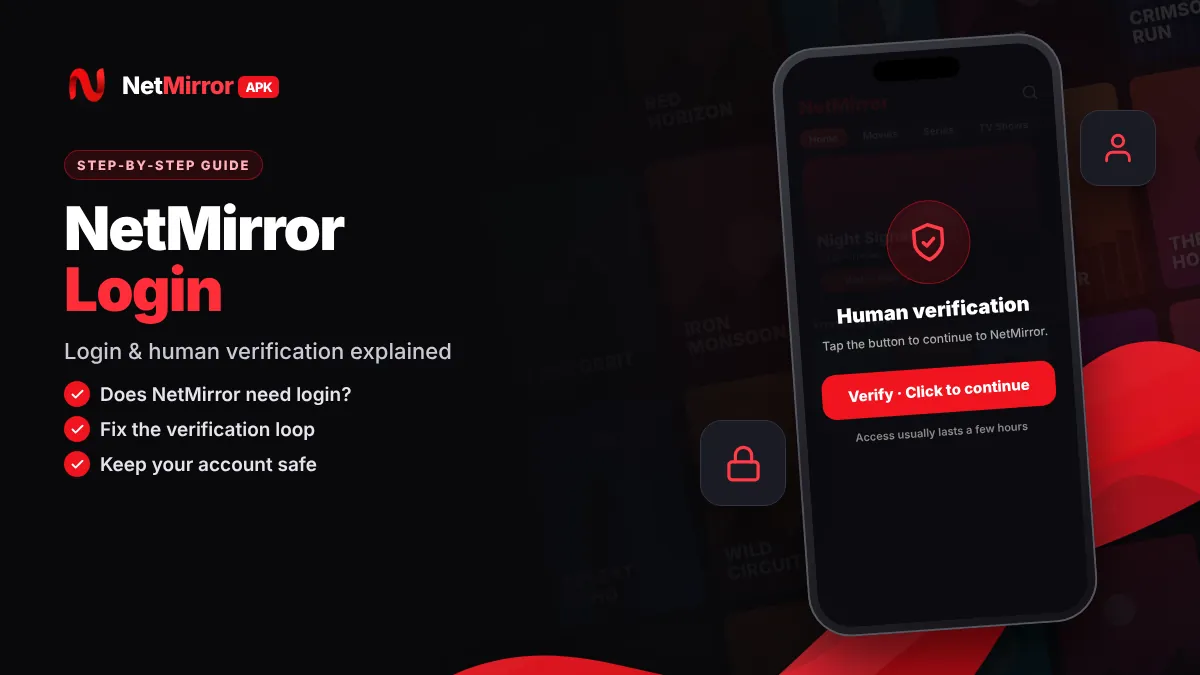
NetMirror verification is usually a simple "prove you are human" step that unlocks playback for a limited time. It is not a real account login, and it is usually ad-supported.
The flow changes between mirrors, but it usually looks like this:
- Open the web version. Load the NetMirror website you trust in Chrome, Edge, Firefox or Safari.
- Tap "Verify" or "Click to continue". A button appears when you try to play a title or open the home page.
- Wait through a short ad or countdown. Some versions open a new tab with an ad. Do not download anything from that tab.
- Return to the NetMirror tab. Close the extra tab and go back to the page where you started.
- Start watching. Access usually stays active for a few hours. After that, the site asks you to verify again.
Tip: If the verification page asks you to install an app, an "update" or a browser extension, stop. A normal NetMirror verification step only needs a click and some waiting.
How to log in to NetMirror web step by step
Some versions of the NetMirror web site ask for an email sign-in after verification. If you decide to use one, follow these steps to keep your main accounts safe during net mirror web login.
- Update your browser. An old version of Chrome or Safari can break the verification and sign-in pages.
- Open the site from a source you trust. Our NetMirror web guide explains how the online version works and how to spot fake mirrors.
- Complete human verification first. The sign-in form usually appears only after this step.
- Use a separate email. Create a spare email address only for entertainment sites. Do not use your main Gmail or work email.
- Use a new password. If a password is required, pick one you have never used for banking, Gmail or social media.
- Enter the email code only on the same page. If a sign-in link or code arrives, use it only on the NetMirror tab you started from.
Why do people search for "NetMirror OTP"?
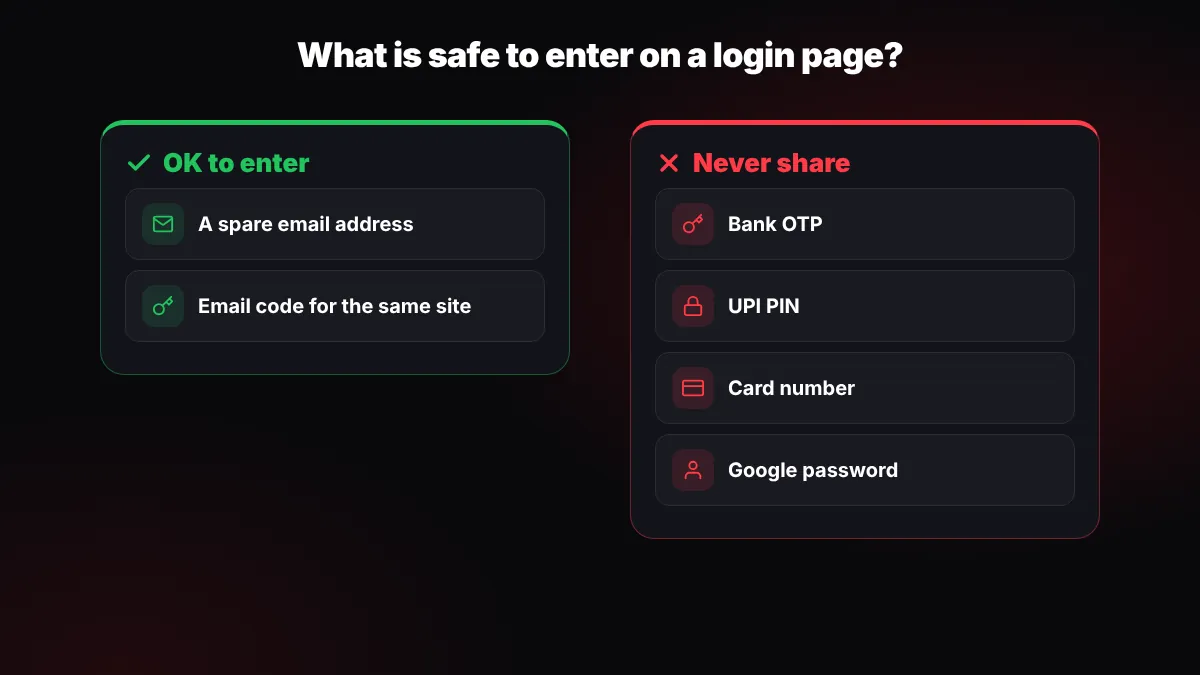
People search for NetMirror OTP because some versions and many copycat sites ask for an email or phone number and then send a one-time password. A real email code for a NetMirror login is usually harmless. The danger starts when a page asks for codes that belong to other services.
Important: Never share an OTP from your bank, UPI app (Google Pay, PhonePe, Paytm), Aadhaar, SIM card or WhatsApp on any NetMirror page. A streaming site never needs these codes. If someone on a call or chat asks for an OTP "to activate NetMirror", it is a scam.
Follow these simple rules whenever a NetMirror page asks for a code:
- Only enter a code that clearly says it is for the same site you are on.
- Prefer email codes over phone numbers. Your phone number is linked to UPI and banking.
- Never type card numbers, UPI PIN or bank details. NetMirror is free and has no official paid plan.
NetMirror login not working? How to fix the verification loop
A verification loop, where you verify and land back on the same screen, is usually caused by blocked cookies, an ad-blocker or a VPN. Fix those three first, then try the other steps below.
| Problem | Likely cause | Fix |
|---|---|---|
| Verification screen keeps coming back | Cookies or third-party cookies blocked | Allow cookies for that site in browser settings |
| "Continue" button does nothing | Ad-blocker or script blocker interfering | Pause the blocker for that one site and reload |
| Verification fails every time | VPN or region mismatch | Turn the VPN off and try again on normal Wi-Fi or mobile data |
| Verified, but video will not play | Access time ended or server busy | Verify again or pick another server |
| Email code never arrives | Spam folder, typo or server delay | Check spam, wait a few minutes, request only one new code |
| Site does not open at all | Mirror changed or domain blocked | See our full troubleshooting guide |
How to clear site data in Chrome
Old cookies often cause the loop. In Chrome on Android, open the NetMirror page, tap the icon to the left of the address, then go to Permissions or Site settings and choose Delete data. On a PC, go to Settings > Privacy and security > Delete browsing data, tick "Cookies and other site data" and "Cached images and files", and confirm.
Allow third-party cookies for the site
Many verification steps load from another domain, so blocked third-party cookies can stop them. In Chrome, open Settings > Privacy and security > Third-party cookies and add the NetMirror site under "Allowed to use third-party cookies" instead of turning cookies on for every website.
Try another browser
If Chrome still loops, test the same page in Firefox, Edge or Samsung Internet. If it works there, the problem is your Chrome data or an extension. Some people install an add-on hoping it fixes verification, but our NetMirror extension guide explains why that is not an official login tool.
If nothing on this list helps, the server may be down or the domain may be blocked. Our NetMirror not working guide covers those cases for Android, TV, PC and iPhone.
Is NetMirror login safe?
Signing in is fairly low-risk if you share nothing valuable. The NetMirror developer is anonymous, so treat any account on the site as temporary and assume it may disappear.
Spare email only
Use a separate email address so a leak cannot reach your main inbox or Google account.
Unique password
Never reuse your Gmail, Facebook or banking password on a streaming site.
No payment details
NetMirror has no official paid plan. Any "premium unlock" payment page is a red flag.
Sign out on shared devices
Log out and clear site data on office or cyber cafe computers after watching.
How to spot a fake NetMirror login page
Fake NetMirror login pages copy the red Netflix-style design to steal passwords, phone numbers or money. They are common because real domains change often.
- The page asks for your Google, Facebook or Instagram password on a site that is not Google, Facebook or Instagram.
- It asks for card details, UPI ID or a "verification fee".
- It asks you to download an APK or file to "verify".
- The domain has odd spellings, extra words or many numbers.
- A countdown or pop-up pressures you to act right now.
If you see any of these signs, close the tab. If you already typed a password there, change it on the real service right away. For a full look at the risks, read is NetMirror safe to use.
netmerrorapk.com is an independent guide. We don't host, upload or own any APK or video content and we are not affiliated with NetMirror, Netflix or any OTT platform.
Conclusion
For most people, NetMirror login is not a real account at all. The NetMirror APK usually needs no sign-up, while the web version often asks for a short human verification that lasts a few hours. When a page asks for an email, use a spare one. When it asks for a bank or UPI OTP, leave immediately.
Key takeaways
- The NetMirror app usually needs no account; the web version may ask for verification or email sign-in.
- Human verification is usually a click plus a short ad, and access lasts a few hours.
- Never share bank, UPI, Aadhaar or SIM OTPs on any NetMirror page.
- Fix verification loops by allowing cookies, pausing ad-blockers and turning off VPNs.
- Use a separate email and a unique password, and avoid pages that ask for payment.
Frequently Asked Questions
Do I need an account to use NetMirror?
Usually no. The NetMirror Android app and TV APK normally open without any sign-up. The web version is different: many mirrors show a human verification step, and some versions ask for an email sign-in. If any page asks for payment or bank details, close it, because NetMirror has no official paid plan.
How long does NetMirror verification last?
On most web mirrors, access after human verification usually lasts a few hours. After that, the site asks you to verify again, often with a short ad or countdown. The exact time changes between versions and mirrors. If you want to avoid repeated verification, the Android app usually does not need this step.
Why does NetMirror ask for an OTP?
Some NetMirror versions and many copycat sites ask for an email or phone number and send a one-time code to sign in. An email code meant for the same site is usually harmless. Never share OTPs from your bank, UPI app, Aadhaar or SIM card, because no streaming site needs them.
Why does NetMirror keep asking me to verify again and again?
A verification loop is usually caused by blocked cookies, an ad-blocker or a VPN. Allow cookies and third-party cookies for that site, pause your ad-blocker for it, turn off the VPN and clear the site data. If it still loops, try another browser or see our NetMirror not working guide.
Is it safe to sign in to NetMirror with my Gmail?
It is better not to. The NetMirror developer is anonymous, so use a separate email created only for entertainment sites and a password you do not use anywhere else. Never type your Google password on a page that is not google.com, because fake login pages copy the NetMirror design to steal accounts.
Can I use NetMirror without verification?
The Android app usually works without the web verification step, so it is the simplest way to avoid it. On the web version, most mirrors require verification before playback, and we do not share methods to skip ads or verification. You can install the app using our NetMirror APK download guide.
How do I know if a NetMirror login page is fake?
Warning signs include asking for your Google or Facebook password, card or UPI details, a "verification fee", or asking you to download an APK to verify. Odd domain spellings and countdown timers are also red flags. Close such pages, and change your password on the real service if you already typed it there.
Written by NetMirror APK Editorial Team
We test NetMirror on Android phones, Android TV, Windows PCs and iPhones and update these guides when the app changes. We are an independent site — read our editorial policy and disclaimer.